AI agents that dispatch, reroute and resolve exceptions
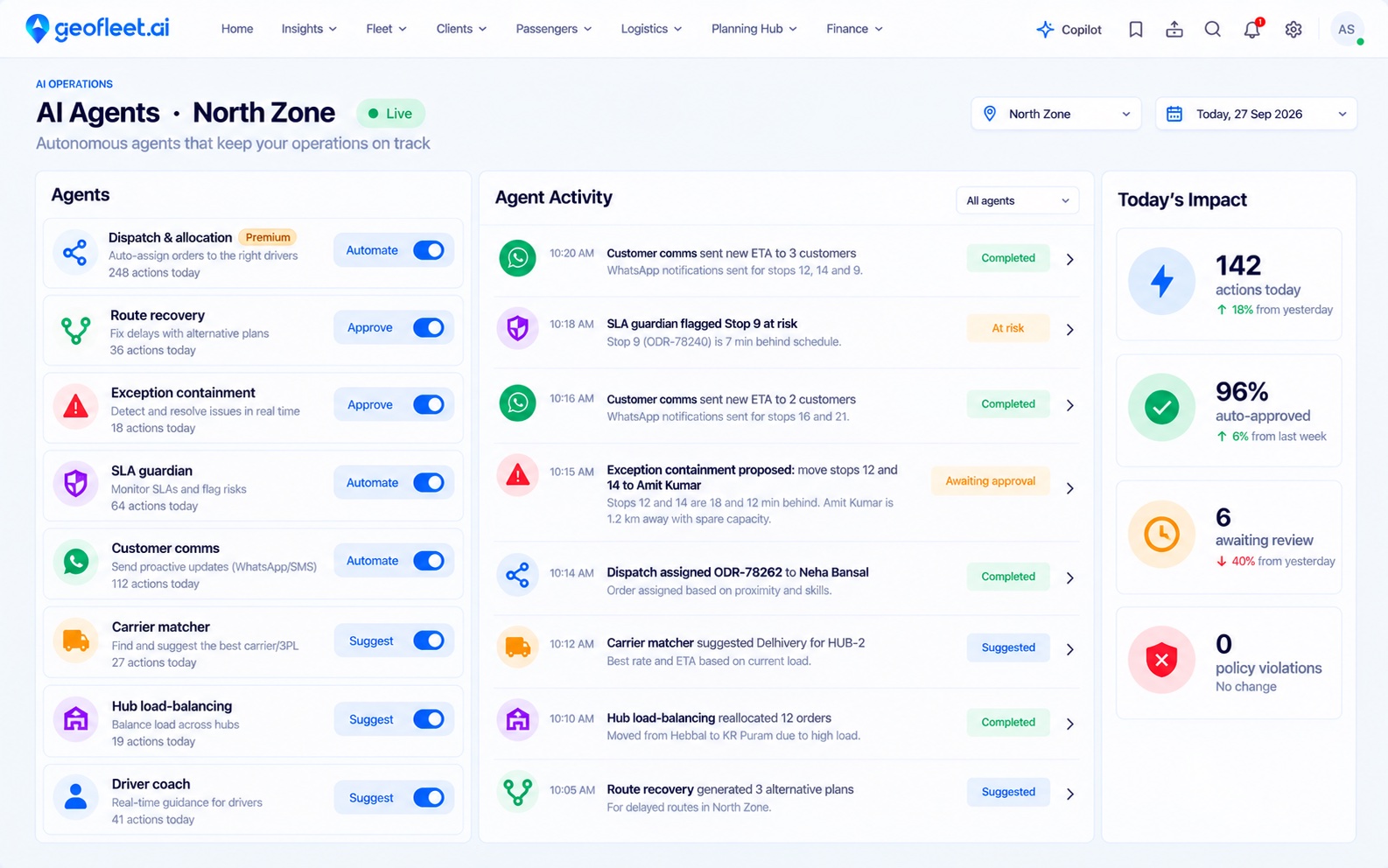
Geofleet AI agents watch your live orders, drivers and routes, then assign work, recover late routes and keep customers informed. You decide what they do on their own, and every action is logged.
- Agent roles
- 8
- Levels of autonomy
- 3
- Actions logged
- 100%
Command centre + Copilot
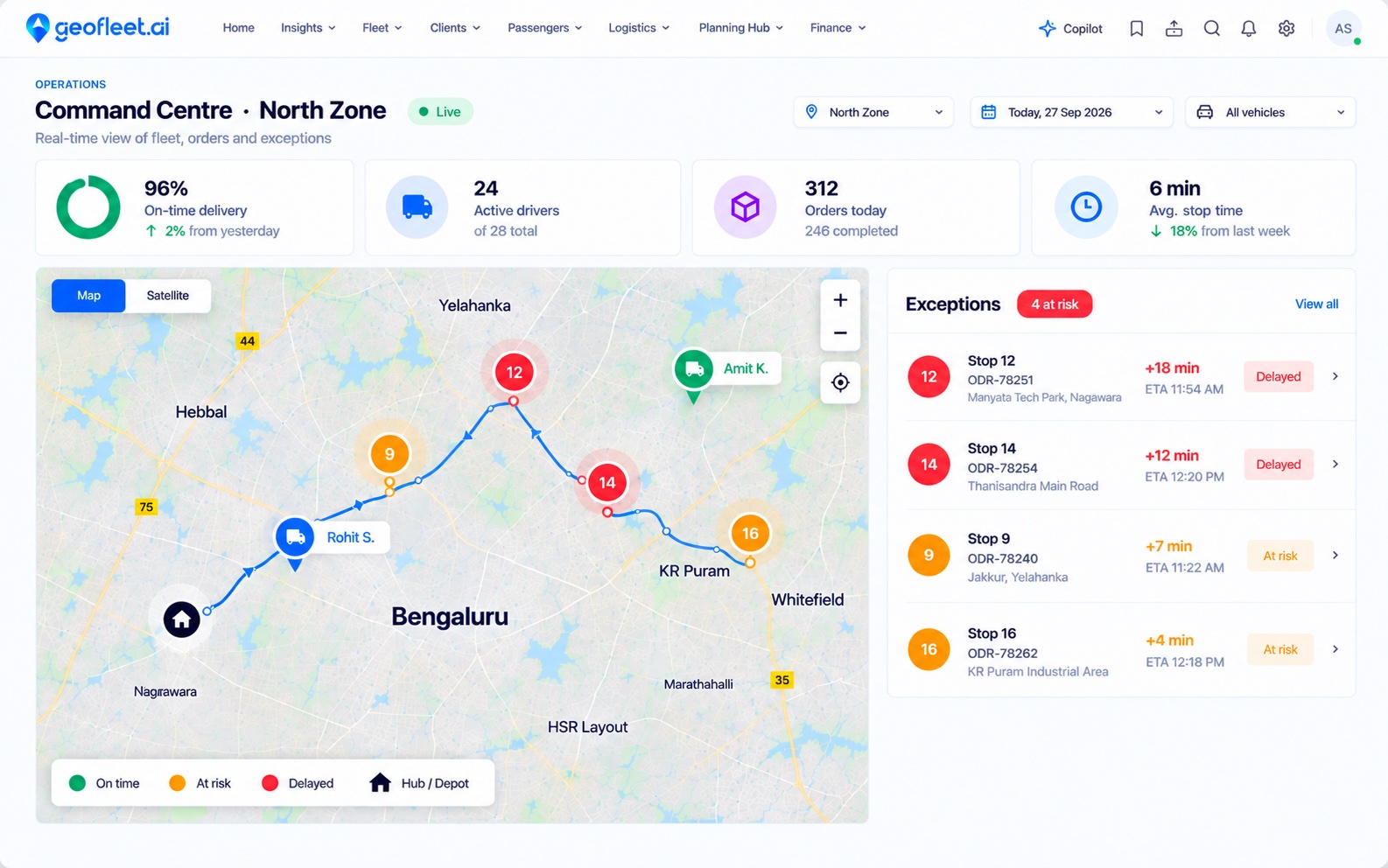
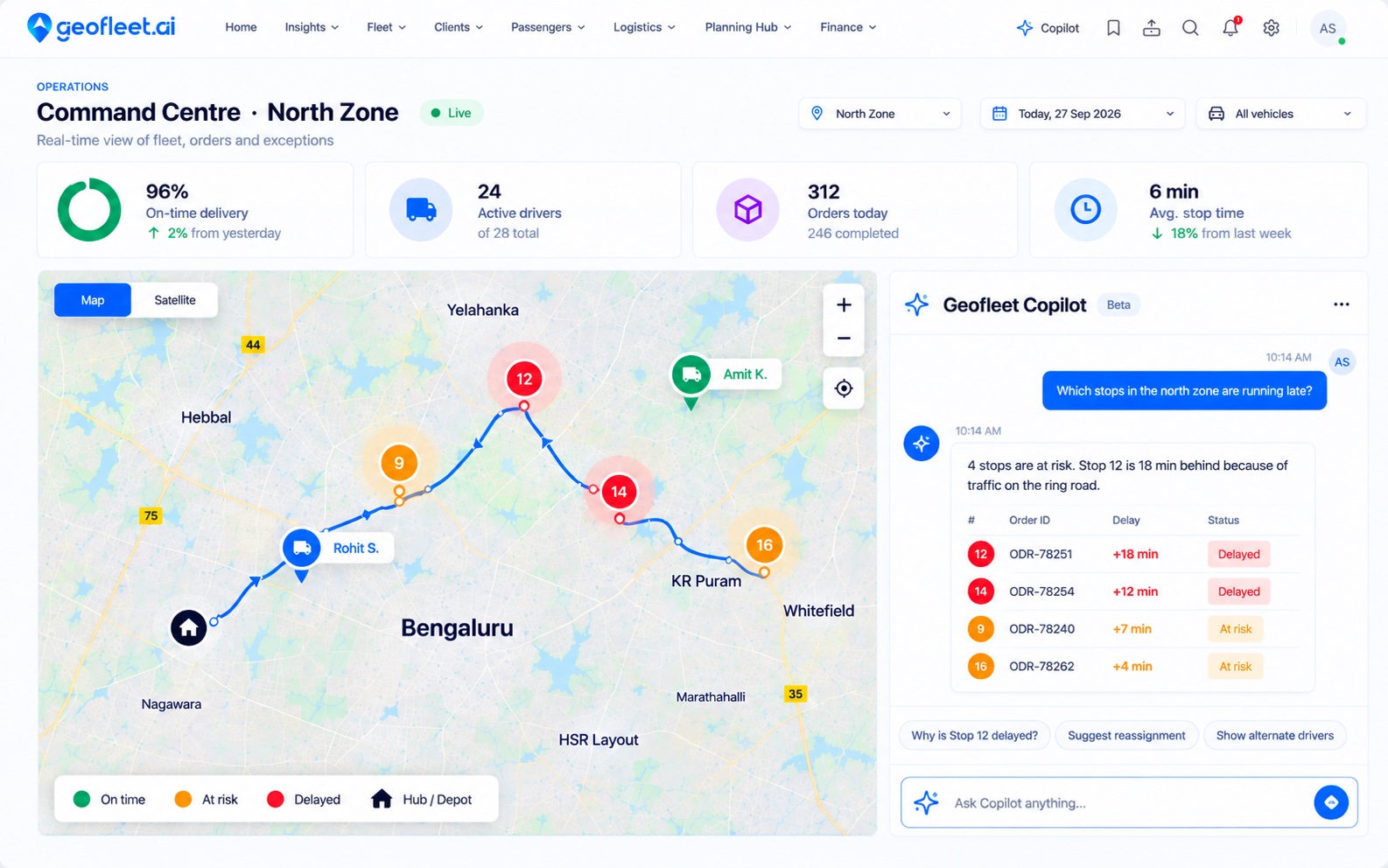
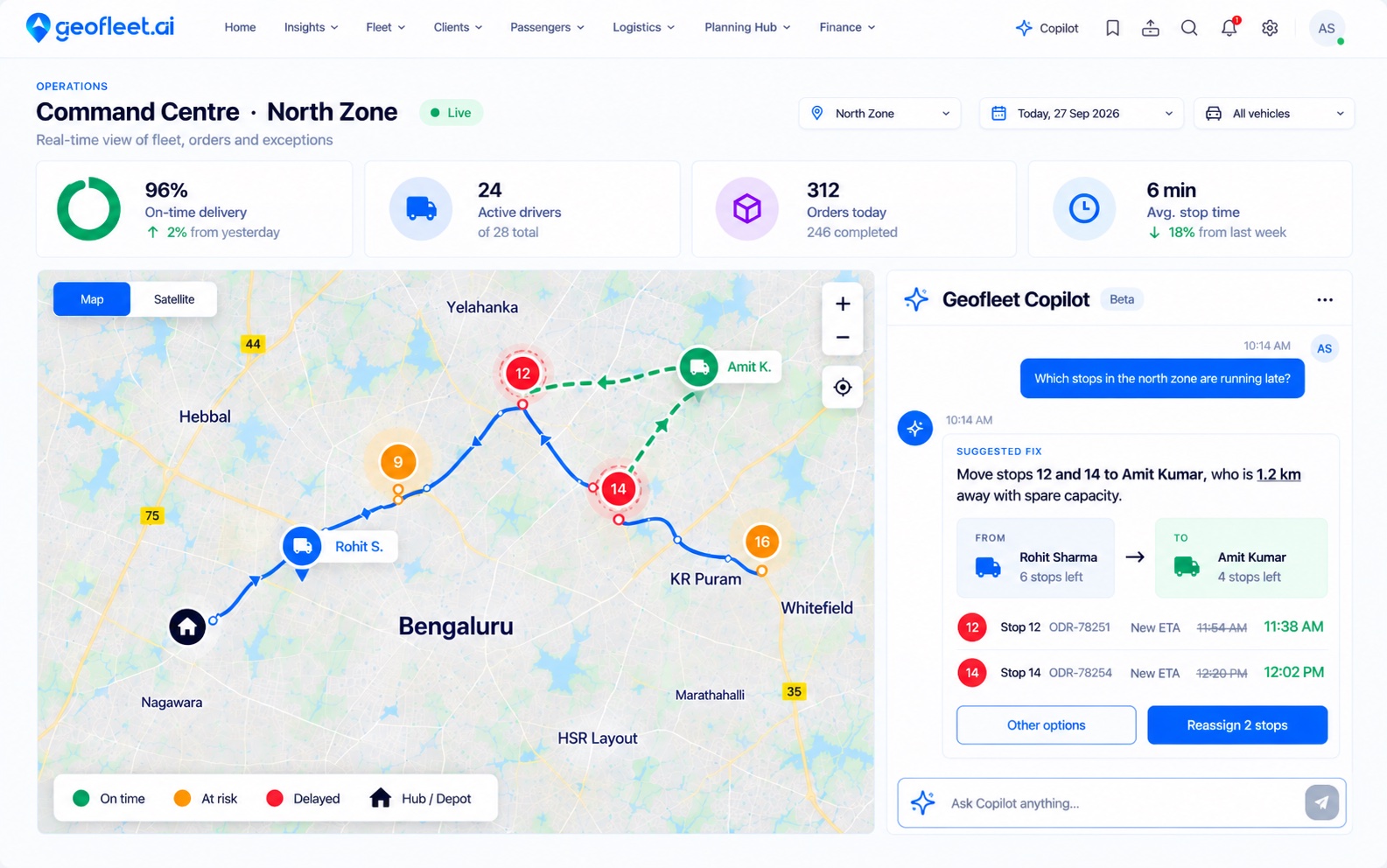
A late driver, handled automatically
Geofleet spots the problem, works out the fix and updates everyone. Your team only steps in to approve.
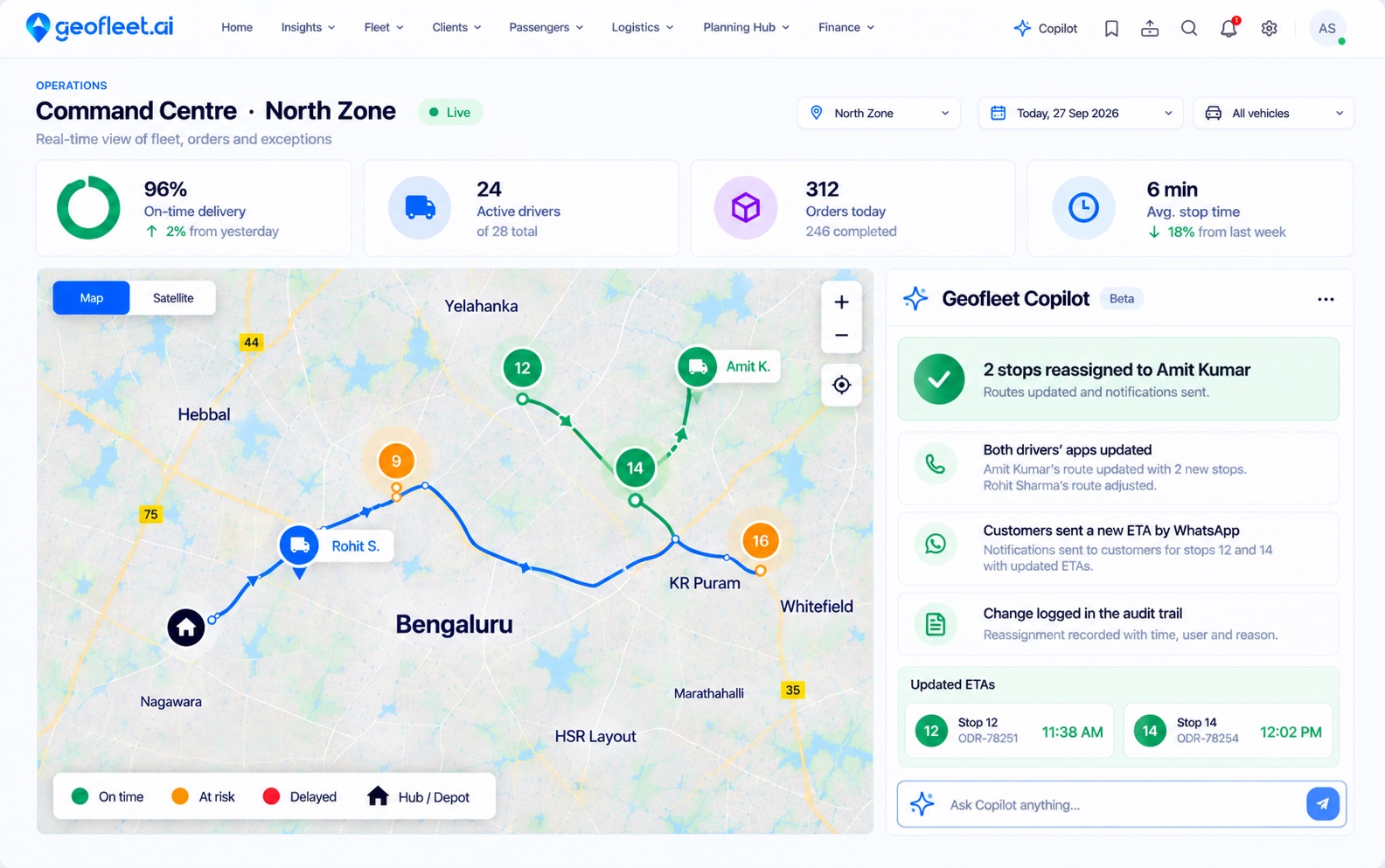
Sample data
Choose what runs automatically and what waits for approval. Every action is logged.
See the AI agentsThe agents
Eight agents, each with one job
Pick an agent to see what it watches, what it does and what its work looks like in the command centre. Auto-dispatch comes with Premium; the full team is on Enterprise.
Dispatch & allocation
Assigns every order to the right driver.
- Watches
- New orders, driver location, capacity, shift windows and SLA risk.
- Does
- Assigns each order to the best available driver and keeps rebalancing as the day changes.
In the activity feedSample data
10:14 AMDispatch & allocation · Assigned ODR-78262 to Neha Bansal, based on proximity and skills.
Typical starting mode:AutomateActs on its own within your guardrails.
Set autonomyYou stay in control
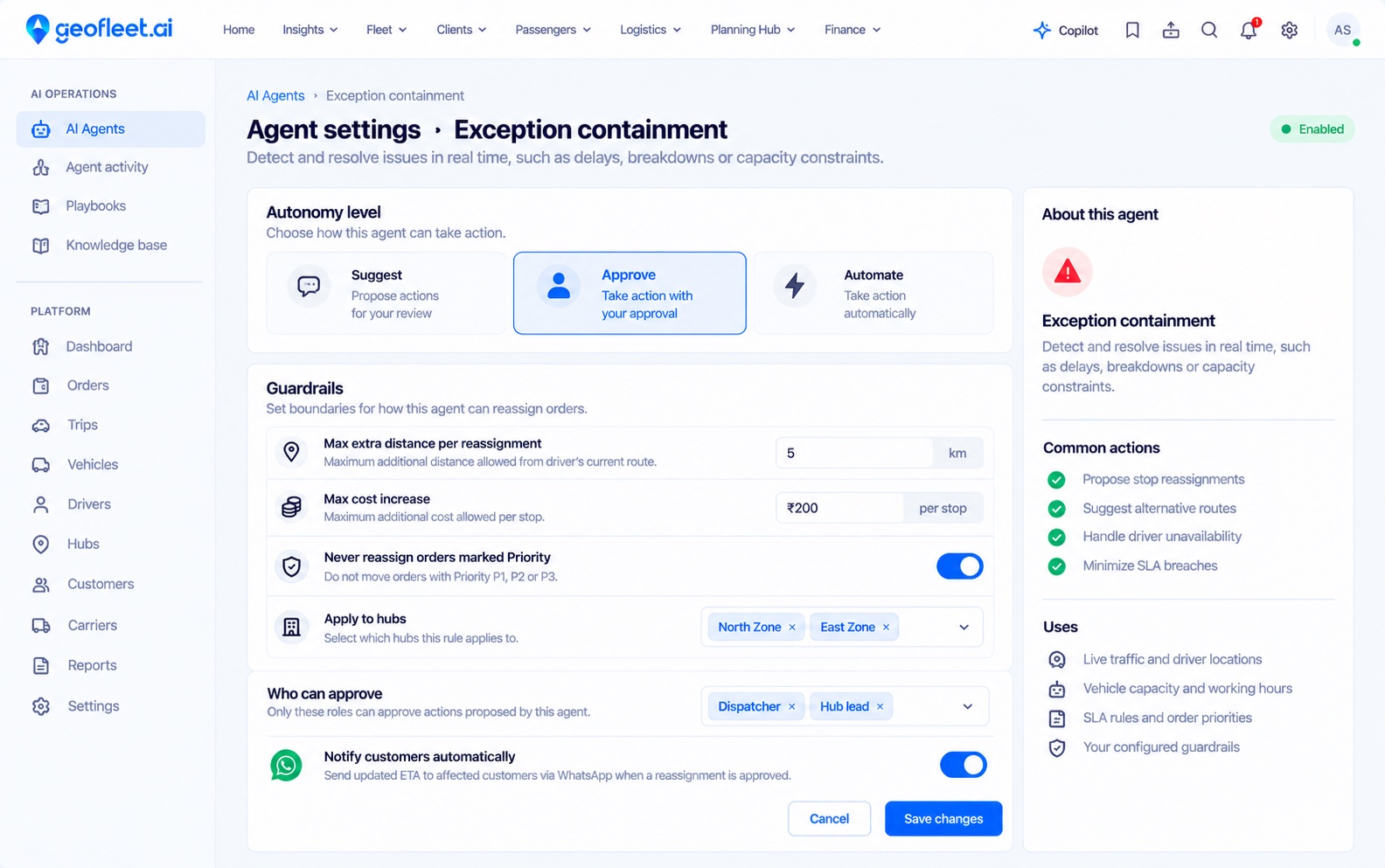
Choose how much each agent does on its own
Set the level per agent, hub or type of action. Most teams start at Suggest and move routine work to Automate as trust builds.
- 1. Suggest
The agent recommends, a person decides
Best for new playbooks. Agents surface the risk and the fix; dispatchers act on it.
- 2. Approve
The agent prepares, you confirm in one tap
The action is ready to go, like “Reassign 2 stops”. Nothing changes until someone approves.
- 3. Automate
The agent acts within your guardrails
Routine moves run on their own inside the limits you set, and anything outside them comes back to a person.
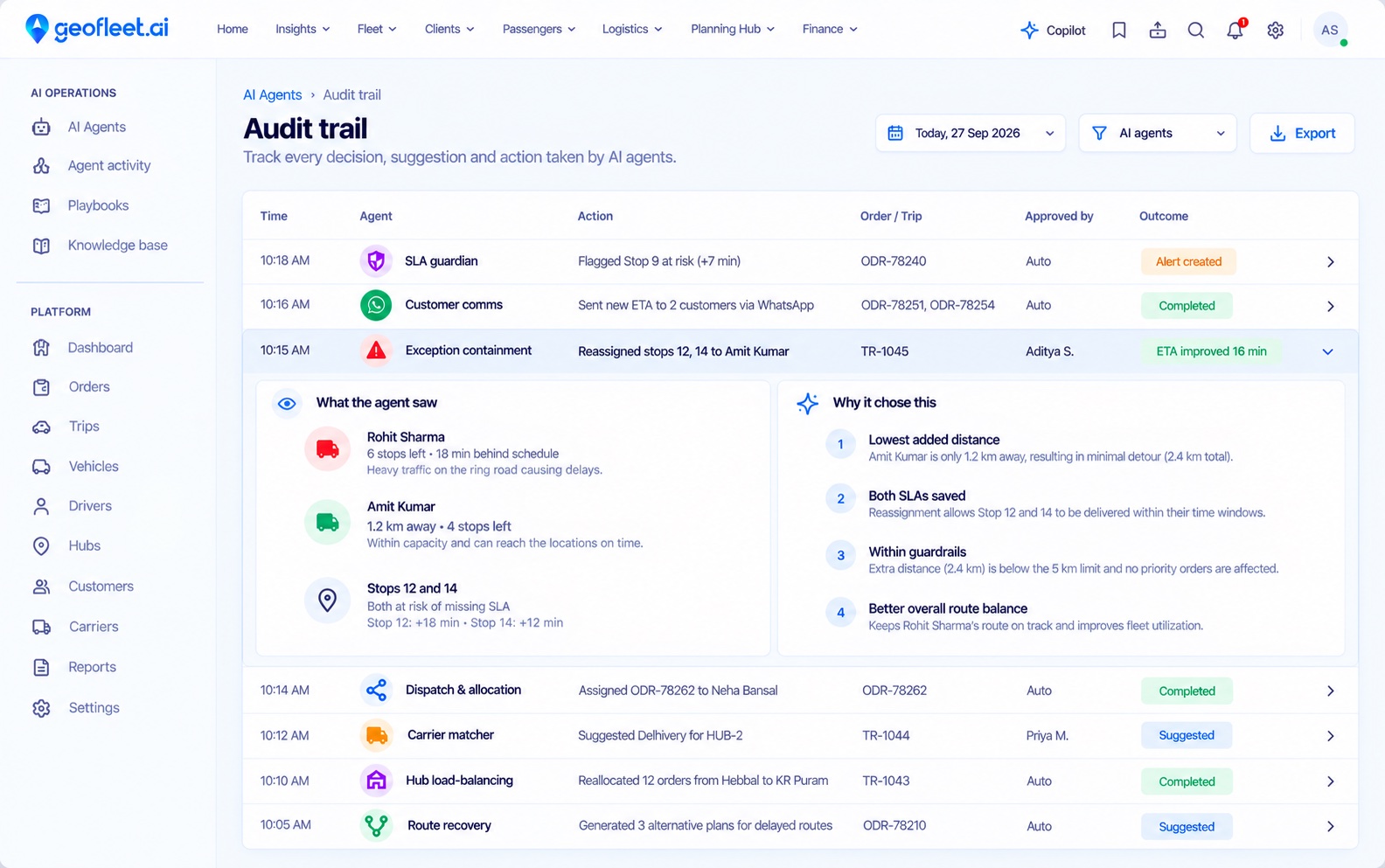
Every decision, explained
The audit trail shows what each agent saw, why it chose an action and who approved it, so you can review any change later.
Policy guardrails
SLA windows, cost ceilings, carrier tiers and zones limit what an agent can do on its own.
Role-based permissions
Agents and Copilot can only do what the signed-in user’s role allows.
Full audit trail
Every suggestion, approval, override and action is logged against the order or trip.
Always overridable
Any agent decision can be changed. Overrides are recorded and shape future suggestions.
Live context
Decisions based on what is happening right now
A general-purpose chatbot can’t see your fleet. Geofleet agents read the same live data as your command centre, so every suggestion fits the road as it is.
See integrationsOrders
Items, time windows, priorities and service levels from your OMS, store or API.
Live GPS
Driver position, speed, dwell time and route adherence.
Capacity
Driver shifts, vehicle limits and carrier availability.
Traffic
Live traffic and road conditions that change ETAs.
Hubs
Inbound waves, sort windows and staffing.
Delivery rules
COD, proof-of-delivery and failed-attempt policies.
Plans
Which plan includes which agents
| Capability | Premium$29 /driver/mo | EnterpriseCustom |
|---|---|---|
| AI auto-dispatch and auto-allocation | ||
| Route recovery and exception containment | — | |
| SLA guardian and customer comms agents | — | |
| Carrier matching and hub load-balancing | — | |
| Driver coach agent | — | |
| Playbooks and guardrails per hub or lane | — |
Auto-dispatch starts on Premium; the full agent suite is on Enterprise. Compare all plans
Frequently asked questions
How are Geofleet AI agents different from a generic AI chatbot?
They are operational agents wired into orders, routes, carriers, drivers, and SLAs. They take actions (assign, reroute, notify, escalate) with guardrails — not just answer questions in a widget.
Can dispatchers override agent decisions?
Yes. Any assignment or recommendation can be overridden. Overrides are logged and feed back into models so agents align with how your team actually runs logistics.
Do agents work across first mile, middle mile, and last mile?
Yes. Playbooks can span hub intake, linehaul, carrier legs, and last-mile delivery so the same command centre orchestrates the full shipment lifecycle where you operate it.
How do agents improve over time?
Outcomes (on-time, cost, rework, overrides) close the loop. Thresholds and models adapt within your governance rules — you stay in control of what can change automatically.
Which plans include AI agents?
AI auto-dispatch and auto-allocation are included on Premium. The full logistics agent suite (carrier matching, exception containment, SLA guardian, extended comms) is included on Enterprise — talk to sales about your volume and regions.
Put agents to work on your routes
We’ll map the agents to your hubs, drivers and SLAs, and show you what they would have done on a day of your own orders.