AI Route Optimization

Deliver more stops in less time with AI-optimized routes

Our machine learning engine analyzes millions of route permutations in seconds, factoring in traffic, time windows, vehicle capacity, and delivery priorities.

Included from the Professional planSee pricing
To plan 100+ stops
< 5s
On-time delivery rate
95%
Lower delivery cost
20–30%
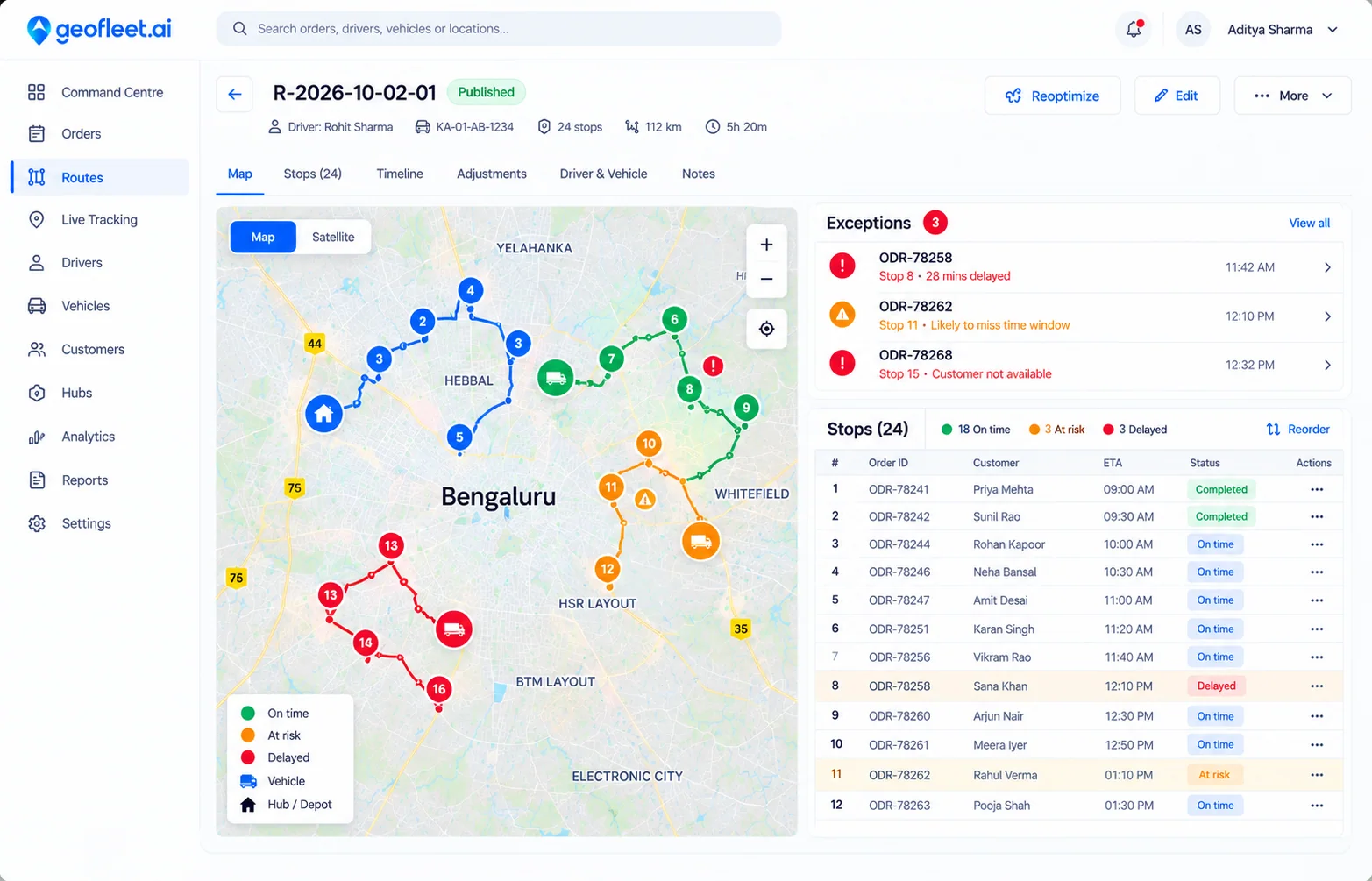
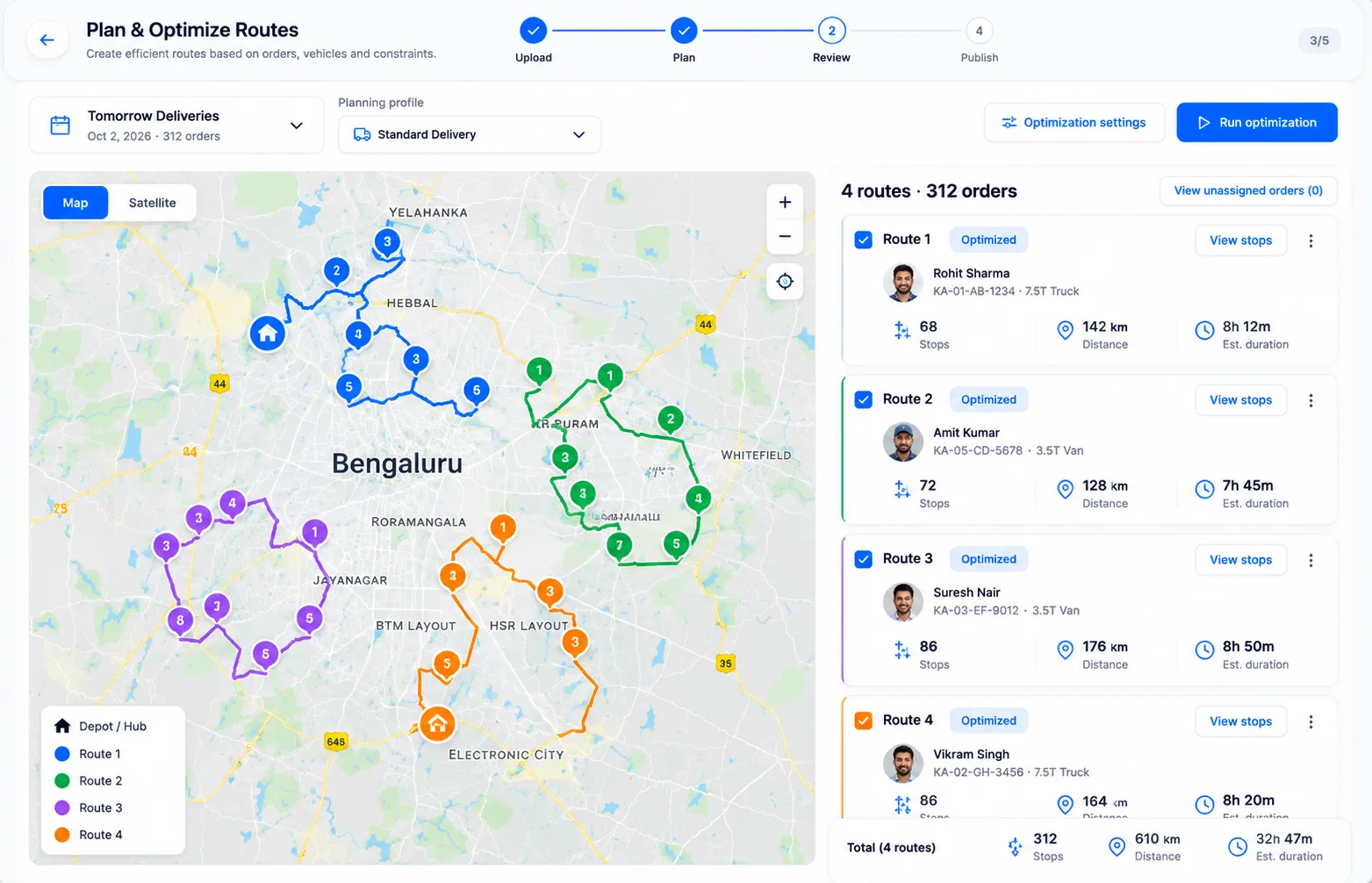
Geofleet route planner showing four optimized multi-stop routes on a map with stops, distance and duration per driver

Before and after Route Planner

Without Route Planner

  • A dispatcher spends the first hour of every shift sequencing stops by hand in a spreadsheet.
  • Routes ignore time windows, so drivers arrive at closed stores and come back later.
  • One new urgent order means re-planning the whole day for three drivers.
  • Nobody can say whether the route the driver took was the route that was planned.

With Route Planner

  • Orders flow in from your store, API or a CSV and the plan is ready in seconds.
  • Time windows, vehicle capacity and shift limits are respected automatically.
  • New orders slot into existing routes, with a re-optimisation only where it helps.
  • Planned against actual route, distance and time are visible for every trip.

A closer look

Route Planner, in the product

Plan

Planning profiles for every hub, day and order type

Set the rules once: which vehicles are available, how long a stop takes, which orders take priority and how late is too late. Smart Planning then builds routes for tomorrow’s deliveries from the profile you pick, so Monday’s rules and Saturday’s rules can differ without anyone re-entering them.

  • Profiles per hub, day of week or order type, selected in one click
  • Service times, vehicle capacity and shift limits as hard constraints
  • Routes for 100+ stops across multiple drivers in under 5 seconds

Smart Planning screen in Geofleet with the Tomorrow Deliveries planning profile selected and a Generate Smart Plan button

Adjust

Drag a stop, save, and the ETAs update

Optimised is a starting point, not a cage. Drag rows to resequence a route, watch the map and the per-stop ETAs change, then save or discard. Dispatchers keep local knowledge in the plan without fighting the optimiser.

  • Drag-and-drop resequencing with live ETA and transit-time per stop
  • Map and Satellite views of the route as you edit it
  • Unsaved changes are flagged until you commit them
Geofleet orders panel with drag-and-drop resequencing beside a satellite map of the route with numbered stops

Dispatch

Publish and the route is in the driver’s hands

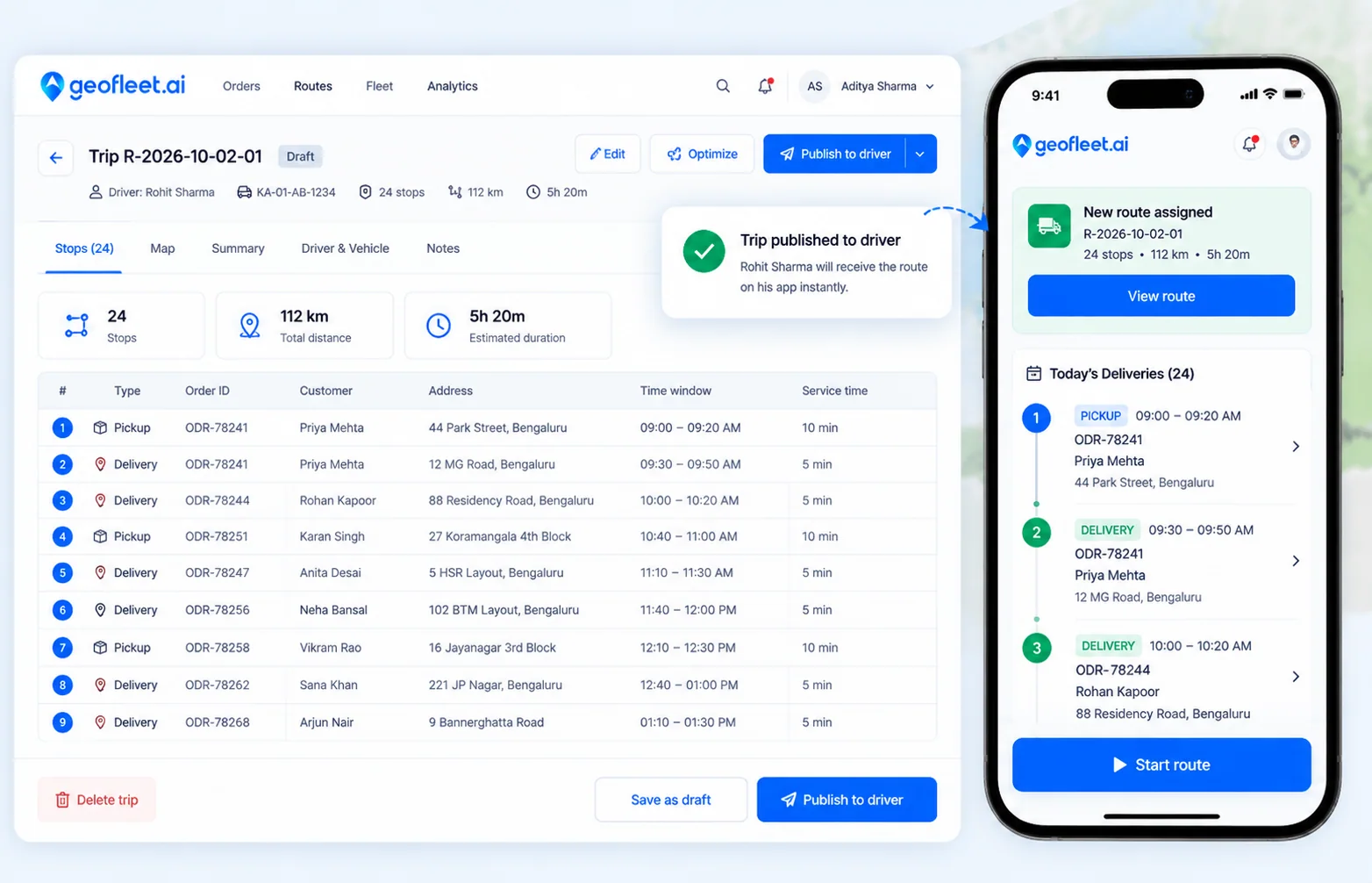
One click publishes a planned trip to the driver app with the stop list, distance and expected duration. Drivers get turn-by-turn navigation; dispatchers see the trip go live and can renew or reassign it later.

  • Publish a trip to one driver or many at once
  • Trip summary with orders, distance and planned duration
  • Renew a trip to re-run it with the same stops tomorrow
A trip published from the Geofleet dashboard arriving in the driver app with today’s deliveries and a Start route button

3 steps

How it works

  1. Step 1

    Import your stops

    Upload orders via CSV, API, or let them flow in automatically from your integrations.

  2. Step 2

    AI optimizes routes

    Our engine builds the most efficient routes considering traffic, time windows, and capacity.

  3. Step 3

    Dispatch to drivers

    One-click dispatch sends optimized routes directly to the driver app with turn-by-turn nav.

See where Route Planner fits in the full flow on the How it works page.

Capabilities

Everything in Route Planner

  • ML route engineAI

    Analyzes millions of permutations per second for globally optimal multi-stop routes.

  • Live traffic routing

    Real-time traffic data adjusts routes dynamically as conditions change.

  • Time-window constraints

    Respect customer delivery windows, store hours, and driver shift limits.

  • Vehicle capacity planning

    Factor in weight, volume, and item count per vehicle for optimal loading.

  • Dynamic re-routingAI

    Automatically re-optimize when new orders arrive or conditions change mid-route.

  • Multi-driver balancing

    Distribute stops evenly across your fleet for balanced workloads.

  • Territory planning

    Define zones and auto-assign drivers to geographic territories.

  • Planning profiles

    Different dispatch rules per hub, day or order type, applied with one click.

  • Route analytics

    Compare planned vs actual routes — distance, time, and cost per delivery.

What changes with Route Planner

  • 20–30%

    Lower delivery cost

    Shorter, denser routes mean less fuel and fewer driver hours per delivery.

  • 95%

    On-time delivery rate

    Time-window-aware routing keeps deliveries inside the promised slot.

  • < 5s

    To plan the day

    Routes for 100+ stops across multiple drivers, ready before the coffee is.

Works with your stack

Connects with 50+ platforms out of the box.

See all integrations
  • Google Maps
  • Waze
  • HERE Maps
  • Shopify
  • WooCommerce
  • Toast

Frequently asked questions

How fast does route optimization calculate?

Routes for 100+ stops across multiple drivers are calculated in under 5 seconds.

Does it work with real-time traffic?

Yes. Routes incorporate live traffic data and dynamically re-route drivers if conditions change.

Can I set delivery time windows?

Absolutely. You can set per-order time windows and the optimizer will respect them while minimizing total route time.

Can dispatchers change an optimized route?

Yes. Stops can be dragged into a new order, and the map, ETAs and transit times update as you edit. Changes stay unsaved until you commit them, so you can discard an experiment.

What happens when a new order arrives mid-day?

It can be slotted into an existing route or trigger a re-optimisation of the affected routes only. Published trips are updated in the driver app.

Which plan includes route optimization?

Route optimization is included from the Professional plan. The Free plan includes manual dispatch with live driver tracking.

Ready to try Route Planner?

Get started in minutes. No credit card required.