Smart Proof of Delivery

Verify every delivery with AI-powered proof

Capture photos, e-signatures, OTP codes, and barcode scans in one tap. AI validates delivery quality and flags anomalies automatically.

Book a demo
Included in every planSee pricing
To capture proof
1 tap
Photo, signature, OTP, scan
4 types
Record timestamped and geo-tagged
Every
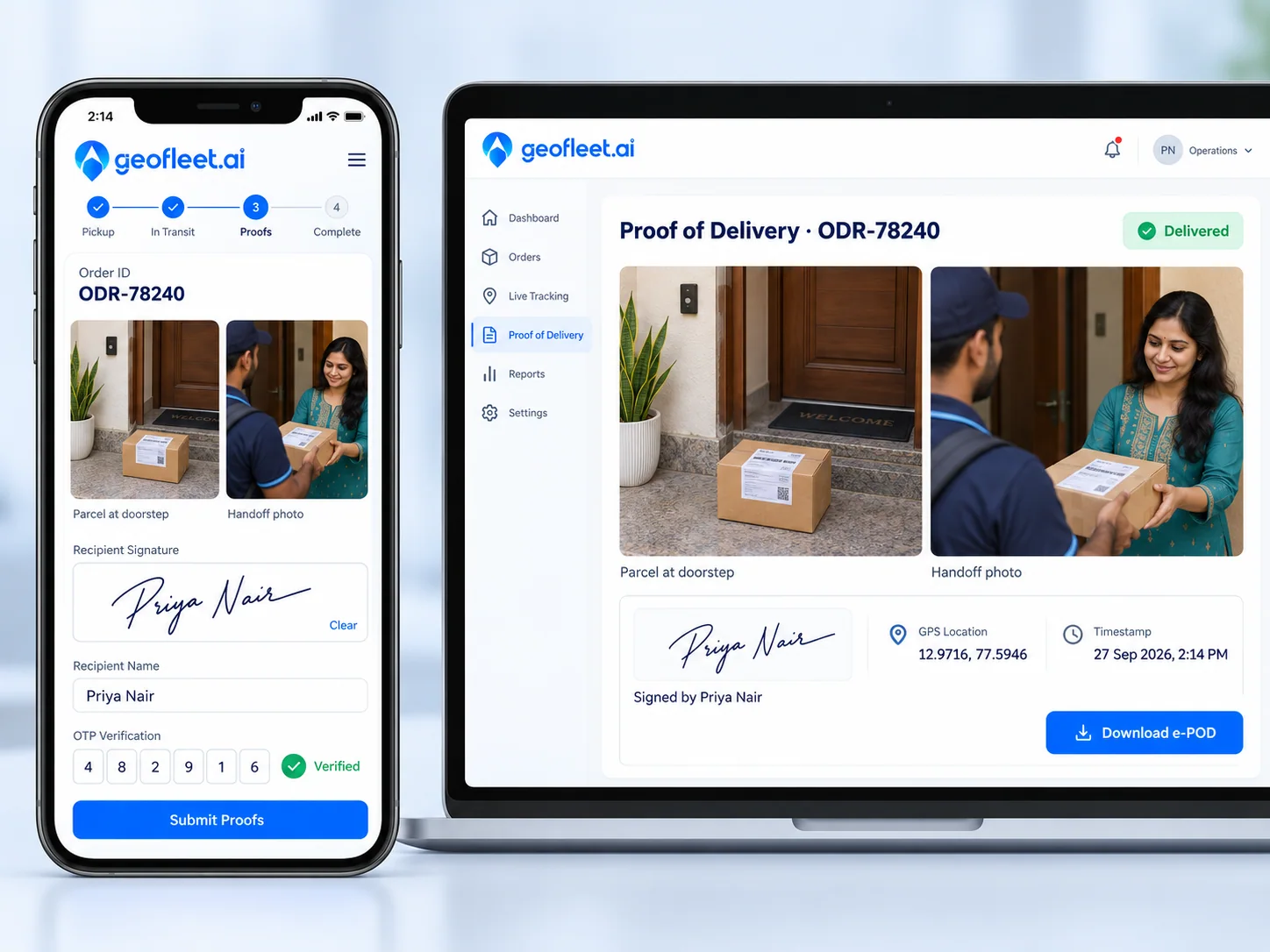
Driver app capturing delivery photos, recipient signature and OTP, beside the completed proof of delivery record on a laptop with a Download e-POD button

Before and after Proof of Delivery

Without Proof of Delivery

  • A customer says the parcel never arrived and the only evidence is the driver’s word.
  • Photos live in the driver’s camera roll, if they were taken at all.
  • Finance holds back a payout while someone hunts through WhatsApp for a signature.
  • Blurry or wrong-door photos are discovered weeks later, during the dispute.

With Proof of Delivery

  • Every delivery closes with a photo, a signature, an OTP or a scan, chosen per order type.
  • Proof is timestamped and geo-tagged and stored against the order automatically.
  • Anyone with access finds the record by order number in seconds and exports it as a PDF.
  • AI checks photo quality and placement before the driver drives off.

A closer look

Proof of Delivery, in the product

Capture

Photos, signature and notes in one delivery flow

The driver app walks through the handoff in order: load, payment, proofs, review. Package photos, a handoff photo and a signature are each one tap, and the step cannot be skipped if your policy requires it.

  • Multiple photos per delivery, each with time and GPS attached
  • Add image or add signature from the same screen
  • Mandatory proof types configurable per order type or customer
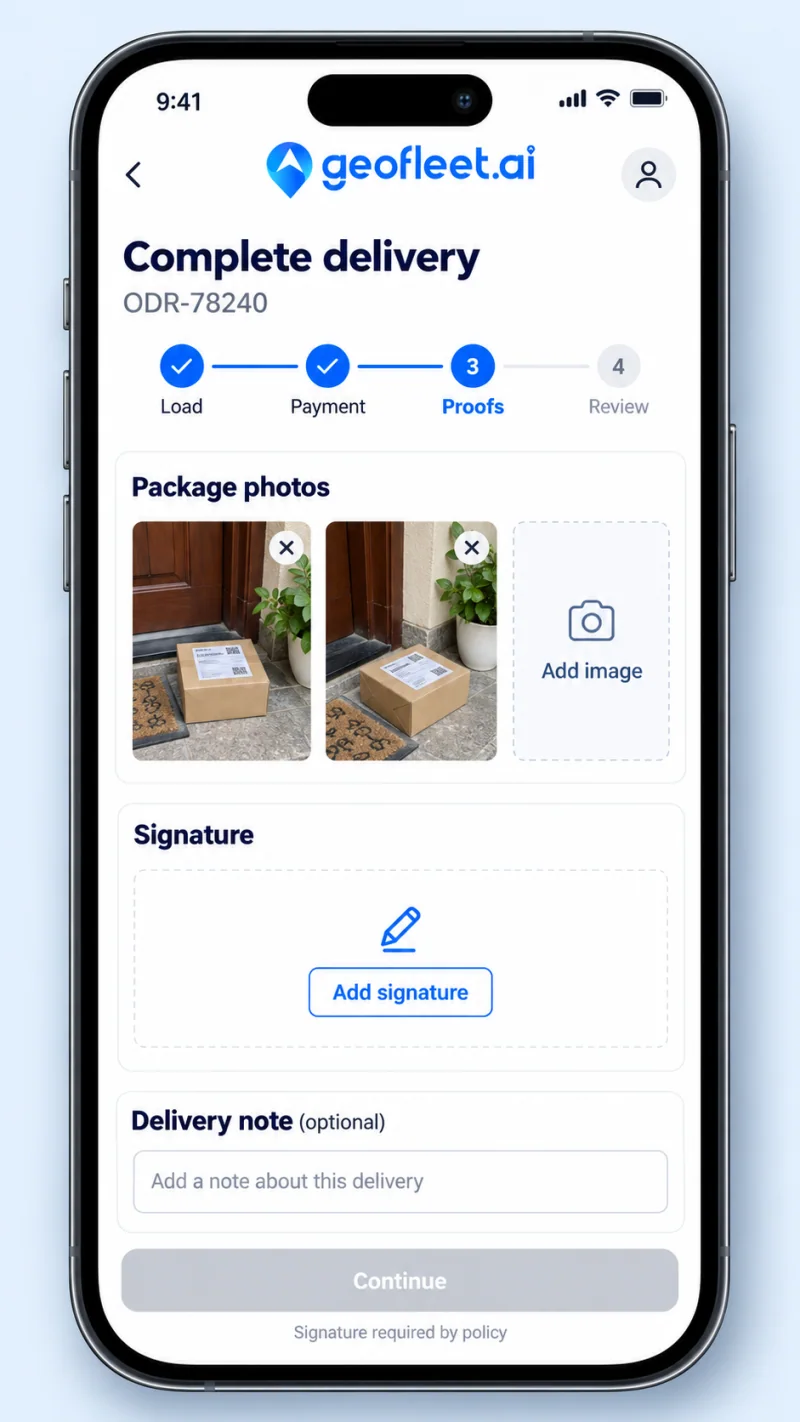
Driver app Proofs step with package photos, an Add image tile, an Add signature button and a delivery note field

Verify

OTP and signature for deliveries that need a named recipient

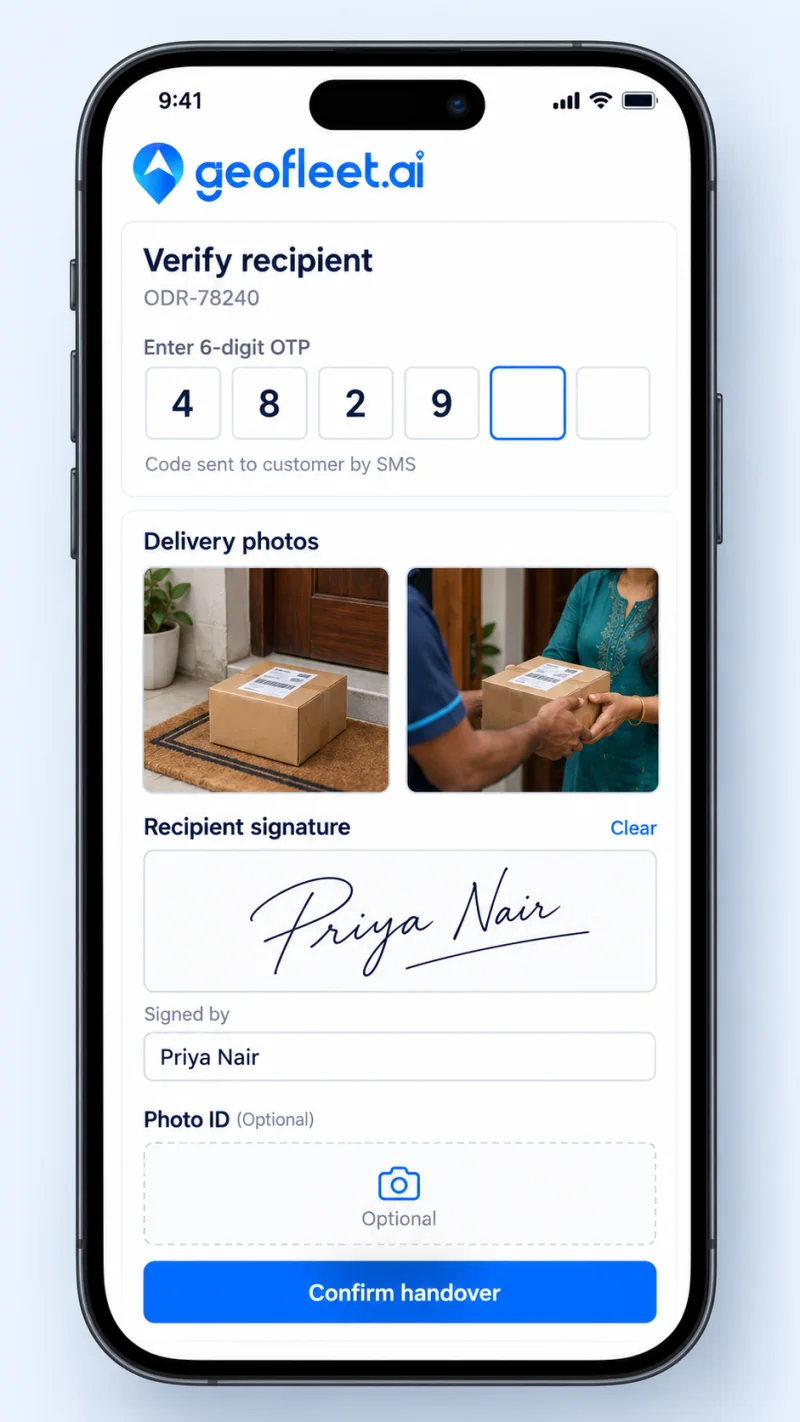
For high-value, age-restricted or contractual deliveries, the customer receives a one-time code by SMS or email and shares it with the driver. Combined with a signature and an optional photo ID, the handoff is tied to a person, not just a doorstep.

  • OTP sent to the customer, entered by the driver to complete the stop
  • Signed-by name and optional note stored with the signature
  • Photo ID capture and match for restricted deliveries
Driver app Verify recipient screen with a six-digit OTP, delivery photos, the recipient signature, signed-by name and optional photo ID

Retrieve

Download the e-POD from the order, not from a group chat

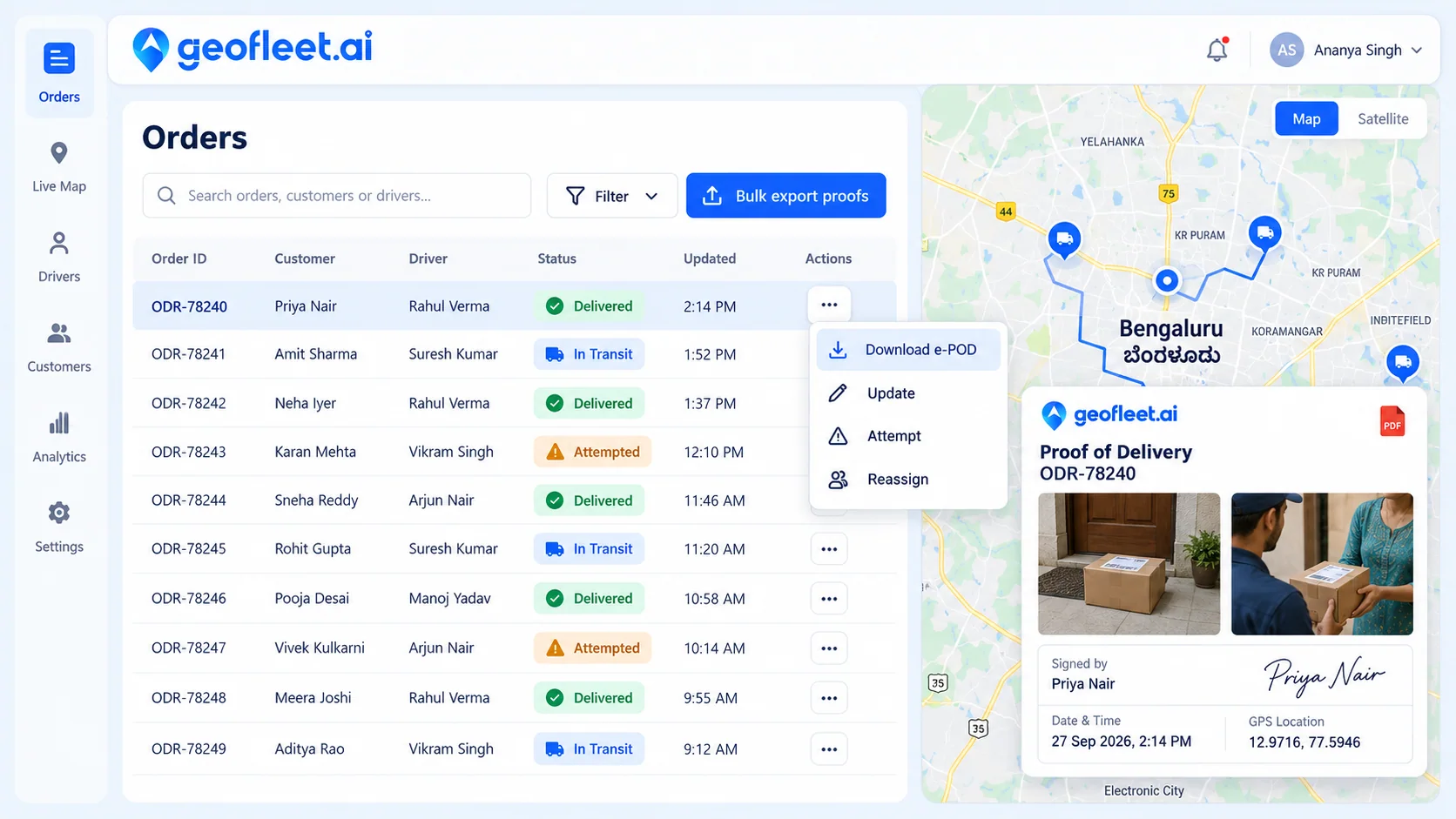
Every proof record sits on the order in the operations view. Open the order, download the e-POD as a PDF, or bulk-export a day’s proofs for an audit, an insurance claim or a customer dispute.

  • Search by order number, date, driver or customer
  • Download e-POD per order or in bulk
  • Attempted and failed deliveries keep their photos and reason codes too
Geofleet orders view with an order’s action menu open on Download e-POD, a PDF preview of the proof of delivery and a Bulk export proofs button

3 steps

How it works

  1. Step 1

    Driver captures proof

    One-tap photo, signature, or OTP capture at the point of delivery.

  2. Step 2

    AI validates delivery

    Computer vision checks photo quality, package placement, and detects anomalies.

  3. Step 3

    Stored & searchable

    All proof is timestamped, geo-tagged, and stored for instant retrieval.

See where Proof of Delivery fits in the full flow on the How it works page.

Capabilities

Everything in Proof of Delivery

  • Photo capture

    High-res delivery photos with automatic timestamp and GPS coordinates.

  • E-signature

    Customer signs directly on the driver's phone for verified handoff.

  • OTP verification

    Customer receives a code and confirms delivery by sharing it with the driver.

  • Barcode scanning

    Scan package barcodes at pickup and delivery for chain-of-custody tracking.

  • AI photo validationAI

    Computer vision detects blurry photos, wrong locations, and missing packages.

  • ID verification

    Photo ID capture and match for age-restricted or high-value deliveries.

  • Instant search

    Find any proof record by order number, date, driver, or customer in seconds.

  • Bulk export

    Export proof records as PDF reports for audits, insurance claims, or disputes.

  • Works offline

    Proof is captured without signal and synced when the driver is back online.

What changes with Proof of Delivery

  • Minutes

    To settle a dispute

    Pull the photo, signature and timestamp from the order instead of chasing the driver.

  • Every

    Delivery has a record

    Timestamped, geo-tagged proof on each order, including attempted and failed stops.

  • Before

    The driver leaves

    AI flags a blurry photo or a wrong location while there is still time to fix it.

Frequently asked questions

What types of proof can be captured?

Photos, e-signatures, OTP codes, barcode scans, and customer ID verification — all from the driver app.

How does AI validate photos?

Our computer vision model checks for blur, darkness, correct location, and visible package — flagging issues before the driver leaves.

How long are proof records stored?

All proof records are stored for 12 months by default. Enterprise plans offer extended retention up to 7 years.

Can I require different proof for different orders?

Yes. Proof requirements are set per order type or customer, so a prescription can require OTP and signature while a grocery drop needs a photo only.

Does proof capture work without mobile signal?

Yes. Photos, signatures and OTP entry work offline in the driver app and sync automatically when the device reconnects.

Which plan includes proof of delivery?

Photo proof of delivery is included on every plan, including Geofleet Lite. Barcode scanning is included in Lite Autopilot and from Premium AI.

Ready to try Proof of Delivery?

Try Geofleet Lite free for 7 days, or set up Geofleet Command for a larger fleet.

Book a demo