Autopilot takes the repeat work off your dispatch desk
Autopilot watches your live orders, drivers and stock, then runs playbooks for the jobs your team repeats every day. Set each playbook to Off, Suggest or Auto, and add your own rules and workflows.
- Modes per playbook
- 3
- Built-in playbooks
- 8
- Rules and workflows
- Custom
Playbooks
Command centre + Copilot
A late driver, handled automatically
Geofleet spots the problem, works out the fix and updates everyone. Your team only steps in to approve.
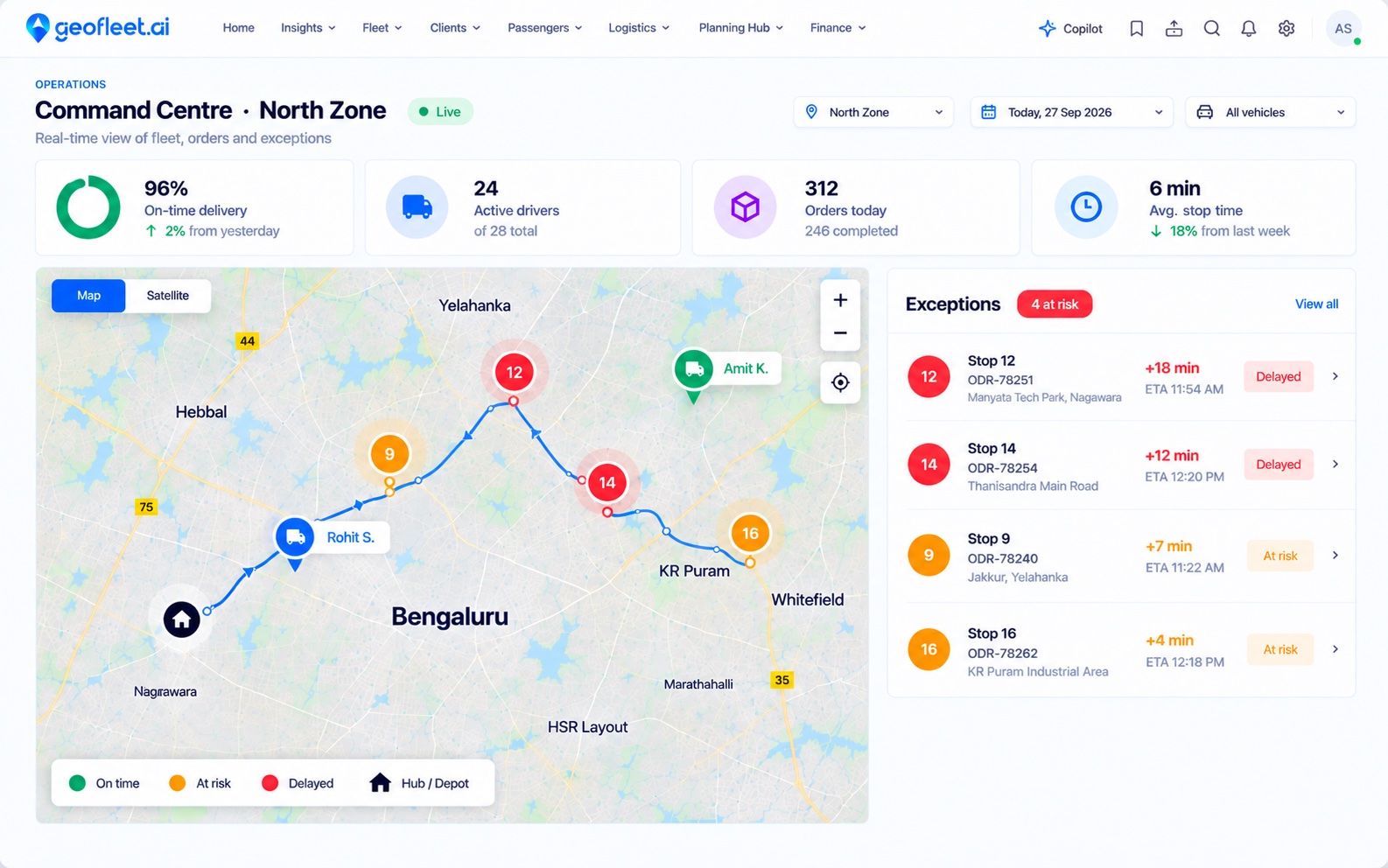
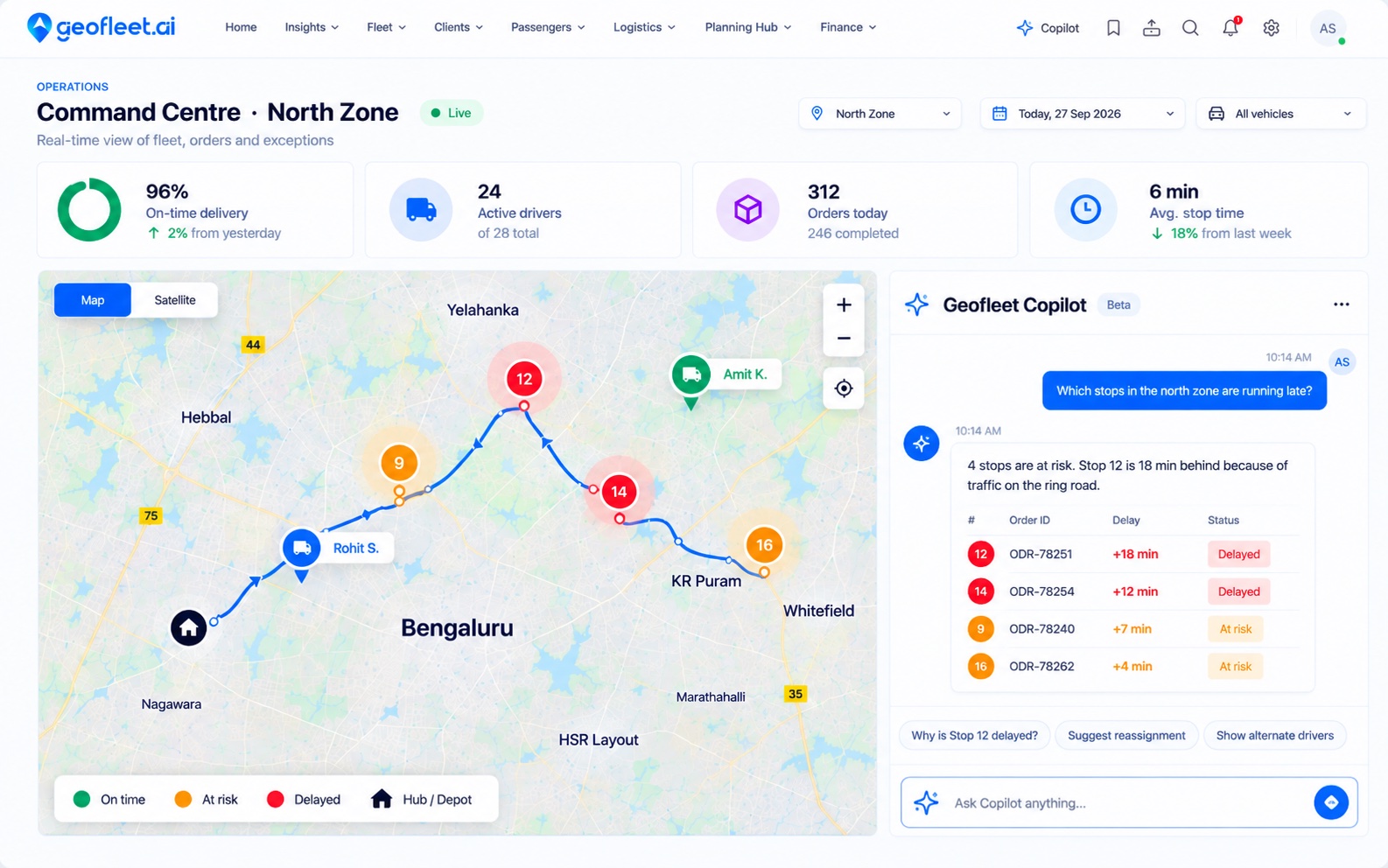
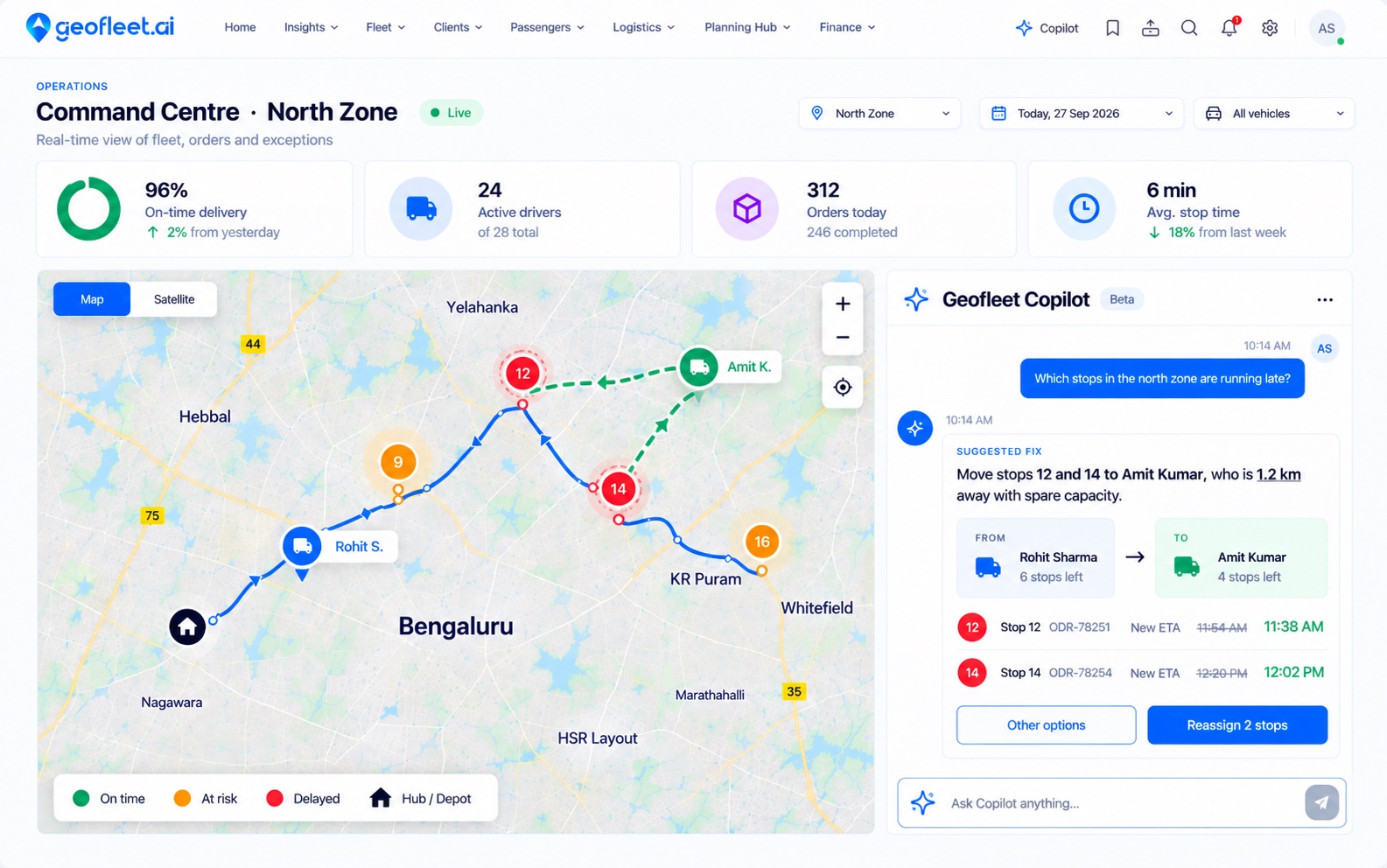
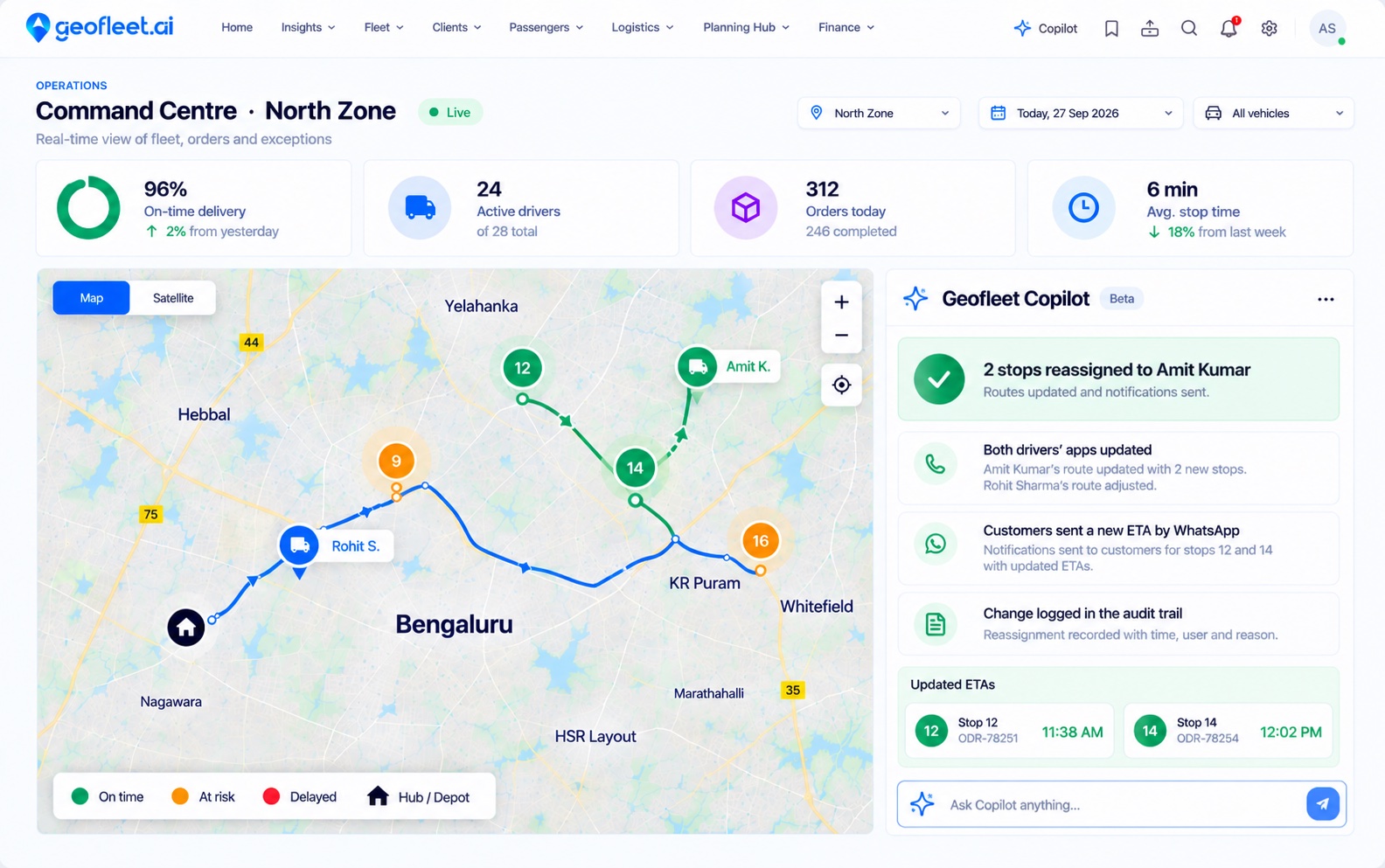
Sample data
Choose what runs automatically and what waits for approval. Every action is logged.
See AutopilotPlaybooks
The jobs your team repeats every day
Waiting orders
Picks up orders still waiting for a driver and gets them allocated.
Retries
Follows up failed delivery attempts so they are retried instead of forgotten.
Late orders
Spots orders running late and acts or alerts your team while there is still time.
Offline drivers
Notices when a driver with active work goes offline, so their orders are not left stranded.
Plan tomorrow
Prepares tomorrow's route plan from the orders already scheduled.
Low stock
Flags hubs running low on inventory so you can restock in time.
Cash limit
Alerts you when a driver is holding more cash on delivery than your limit allows.
Daily summary
Sends your team a summary of how the day went.
Custom rules and workflows
Build your own triggers and actions for the cases specific to your operation.
You stay in control
Off, Suggest or Auto, for each playbook
Most teams start on Suggest and move routine work to Auto as trust builds.
- Off
Your team handles it
The playbook does not run. Nothing changes in how your dispatchers work.
- Suggest
Autopilot prepares, a person approves
The action is ready to go. Nothing changes until someone on your team confirms it.
- Auto
Autopilot acts on its own
Routine work runs without waiting for anyone, inside the settings you chose for that playbook.
One mode per playbook
Run late orders on Suggest and the daily summary on Auto. Each playbook is set on its own.
Role-based permissions
Autopilot and Copilot respect the roles you set for your team.
Always overridable
Your team can change any assignment by hand, and any playbook can go back to Suggest or Off.
Live context
Decisions based on what is happening right now
Autopilot reads the same live data as your command centre, so every action fits what is happening on the road.
See integrationsOrders
Status, time windows and how long each order has been waiting.
Live GPS
Driver position and whether each driver is online.
Capacity
Driver shifts and the work each driver already has.
Stock
Inventory levels at each hub.
Cash on delivery
Cash each driver is holding against your limit.
Delivery attempts
Failed attempts and the orders due for a retry.
Frequently asked questions
What is the difference between Autopilot and auto-allocation?
Auto-allocation assigns each new order to the best driver. Autopilot sits on top and runs playbooks across the day, such as chasing waiting orders and late orders or preparing tomorrow's plan.
What do Off, Suggest and Auto mean?
Each playbook has its own mode. Off means the playbook does not run. Suggest prepares the action for a person to approve. Auto runs it on its own.
Can dispatchers still step in?
Yes. Your team can change any assignment by hand, and you can switch any playbook back to Suggest or Off at any time.
Can I add my own automation?
Yes. Beyond the built-in playbooks, you can build custom rules and workflows for your operation.
Which plans include Autopilot?
On Geofleet Lite, Autopilot is included in Lite Autopilot. On Geofleet Command, it is included from Premium AI. AI Copilot, the chat assistant, is included in Lite Autopilot and from Premium AI.
Put Autopilot to work on your routes
We’ll map the playbooks to your hubs and drivers, and show you how each would run on your own orders.