Quick answer
To manage deliveries from one hub: set an order cutoff for each delivery wave, plan all of that wave’s orders at once from the hub, publish routes to drivers’ phones, send customers a tracking link, handle only the exceptions while drivers are out, require proof at each stop, and settle cash per driver before they go home. Review failed deliveries the next morning.
What makes single-hub delivery different?
A single-hub operation has one pickup point, a small team and usually no full-time dispatcher. That changes what matters. Multi-hub problems such as inter-hub transfers, territory balancing and carrier selection disappear. What is left is a tight daily loop: orders come in, routes go out, drivers come back with cash and proof. The risk is not complexity but interruption. Planning happens in gaps between other work, so the process has to survive being done in ten-minute bursts.
Who plans routes
- Single hub
- Owner or shop manager, part-time
- Multi-hub
- Dedicated dispatch team
Where routes start
- Single hub
- Always the same door
- Multi-hub
- Nearest or assigned hub
Main planning problem
- Single hub
- Batching nearby orders into waves
- Multi-hub
- Balancing hubs, fleets and carriers
Main failure mode
- Single hub
- Interruptions and memory
- Multi-hub
- Coordination between teams
What software must do
- Single hub
- Make the daily loop quick
- Multi-hub
- Orchestrate many loops at once
| Single hub | Multi-hub | |
|---|---|---|
| Who plans routes | Owner or shop manager, part-time | Dedicated dispatch team |
| Where routes start | Always the same door | Nearest or assigned hub |
| Main planning problem | Batching nearby orders into waves | Balancing hubs, fleets and carriers |
| Main failure mode | Interruptions and memory | Coordination between teams |
| What software must do | Make the daily loop quick | Orchestrate many loops at once |
The daily rhythm
1. Before opening: check yesterday and today
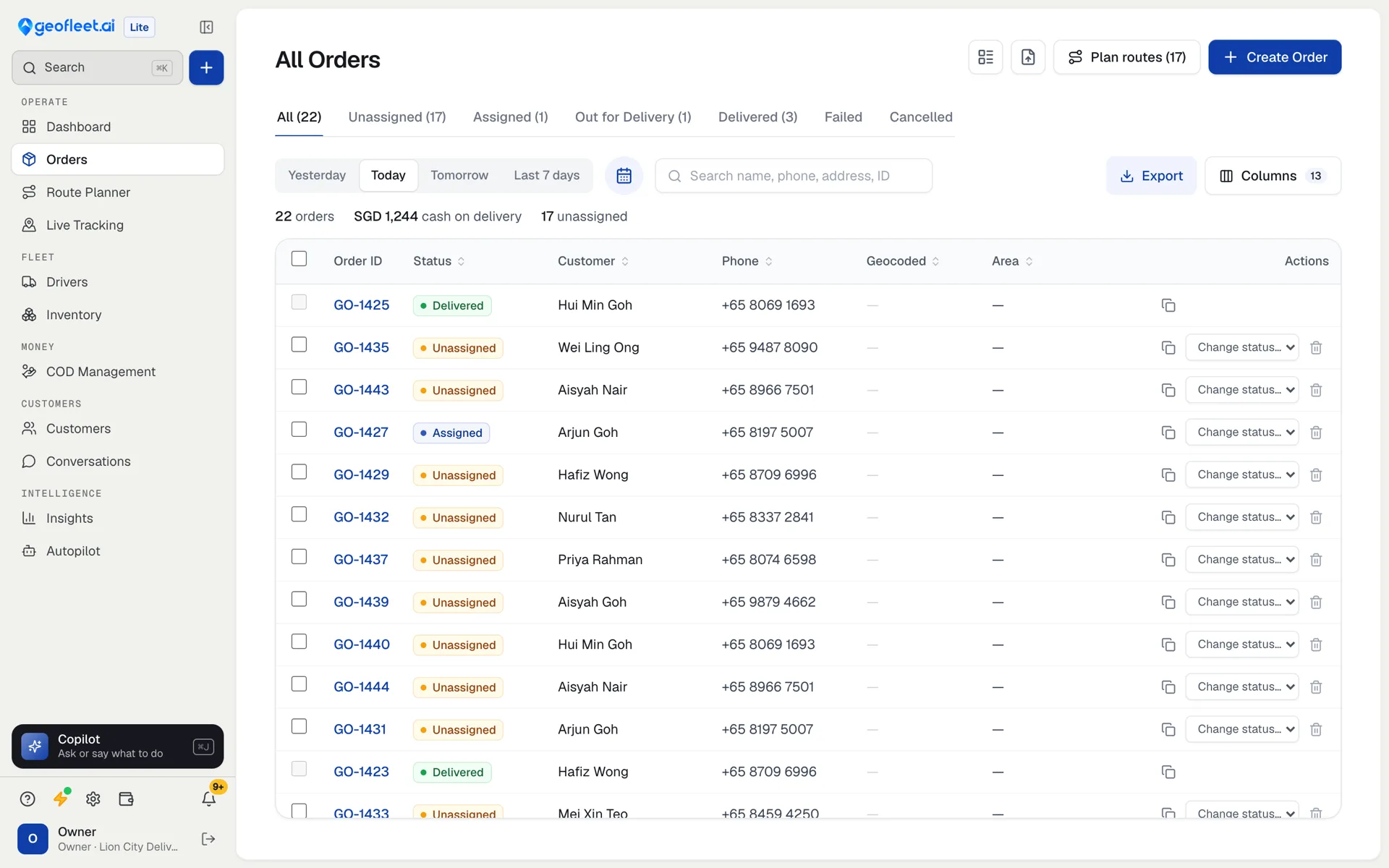
Spend five minutes on yesterday’s failed deliveries and anything still open. Each failed stop needs a decision: rebook, call the customer or cancel. Then look at today’s order count against the drivers on shift. If you have 60 orders and three drivers who each manage about 15 stops a wave, you already know you need two waves or another driver.
2. Set a cutoff for each wave
A cutoff is the single biggest improvement most small delivery teams can make. Orders received before 10:00 go on the late-morning wave; orders after go on the afternoon wave. Without one, every new order triggers a re-plan and drivers leave in a trickle. Tell customers the cutoff at checkout or on the phone so the promise matches the plan.
3. Plan the whole wave at once
Select every order in the wave and every driver available, then plan them together. Planning one order at a time is how a driver ends up crossing town twice. Respect delivery windows where a customer booked a slot, set a stop limit per driver, and look at the plan on a map before publishing. If one route looks wrong, it usually is: drag the stop to the driver already in that area.
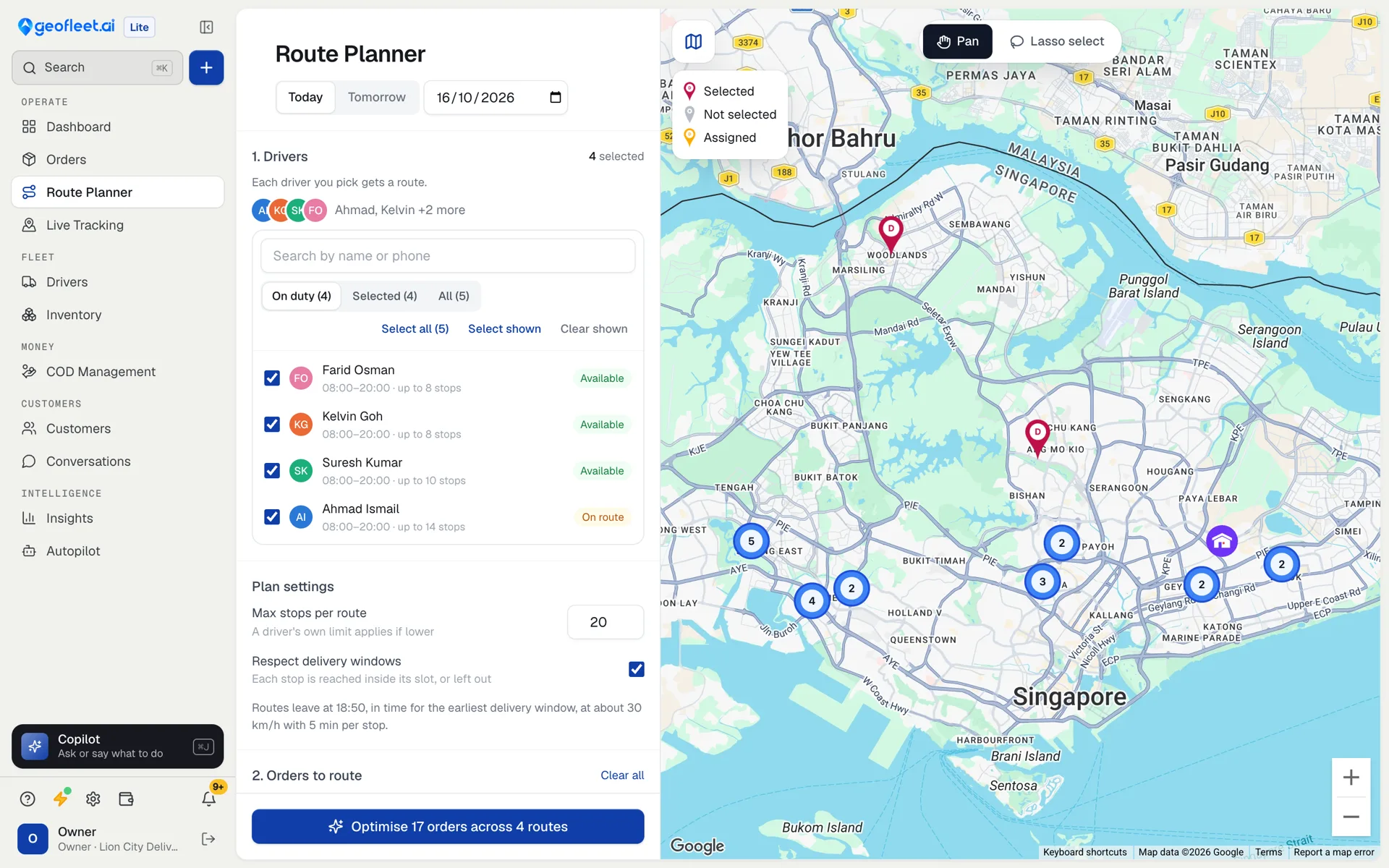
4. Publish, load and send tracking links
Publishing sends each driver their stops in order. Load the vehicles in reverse stop order so the first delivery is nearest the door. As routes go out, customers should get a message with a tracking link; this one step removes most “where is my order?” calls.
5. While drivers are out: handle exceptions only
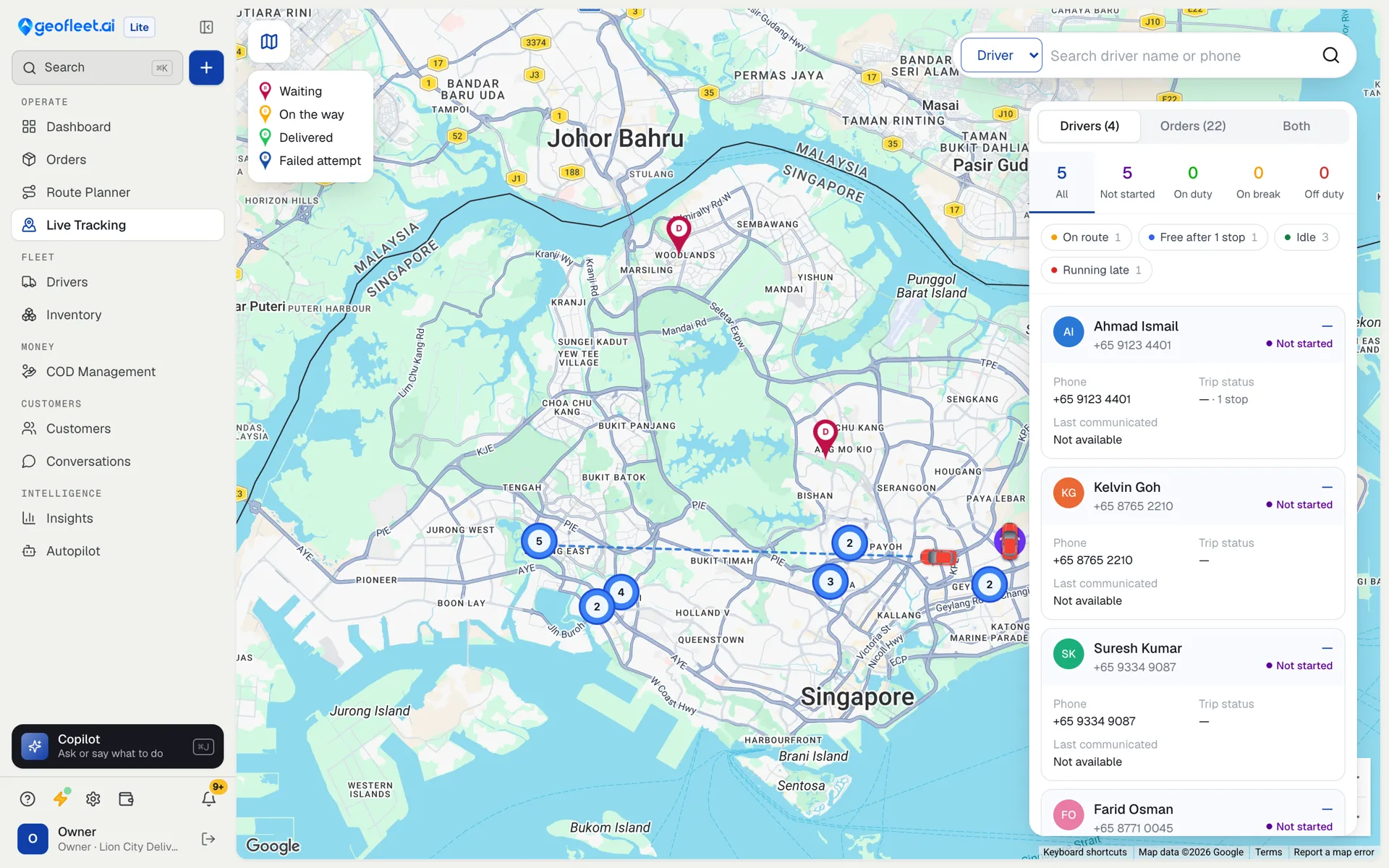
Live tracking is tempting to watch, but a driver on time does not need you. Focus on the exception list: stops at risk of missing their window, drivers who have gone quiet, customers not home. A good rule is to act on anything more than 15 minutes late against its window and leave the rest alone.
6. At the door: proof every time
Decide what proof each delivery type needs and make it mandatory in the driver app: a photo for doorstep drops, a signature for high-value or regulated goods, a receiver name at reception desks. Proof captured every time costs seconds; proof missing on a disputed order costs the order value and the customer.
7. End of day: count cash and close out
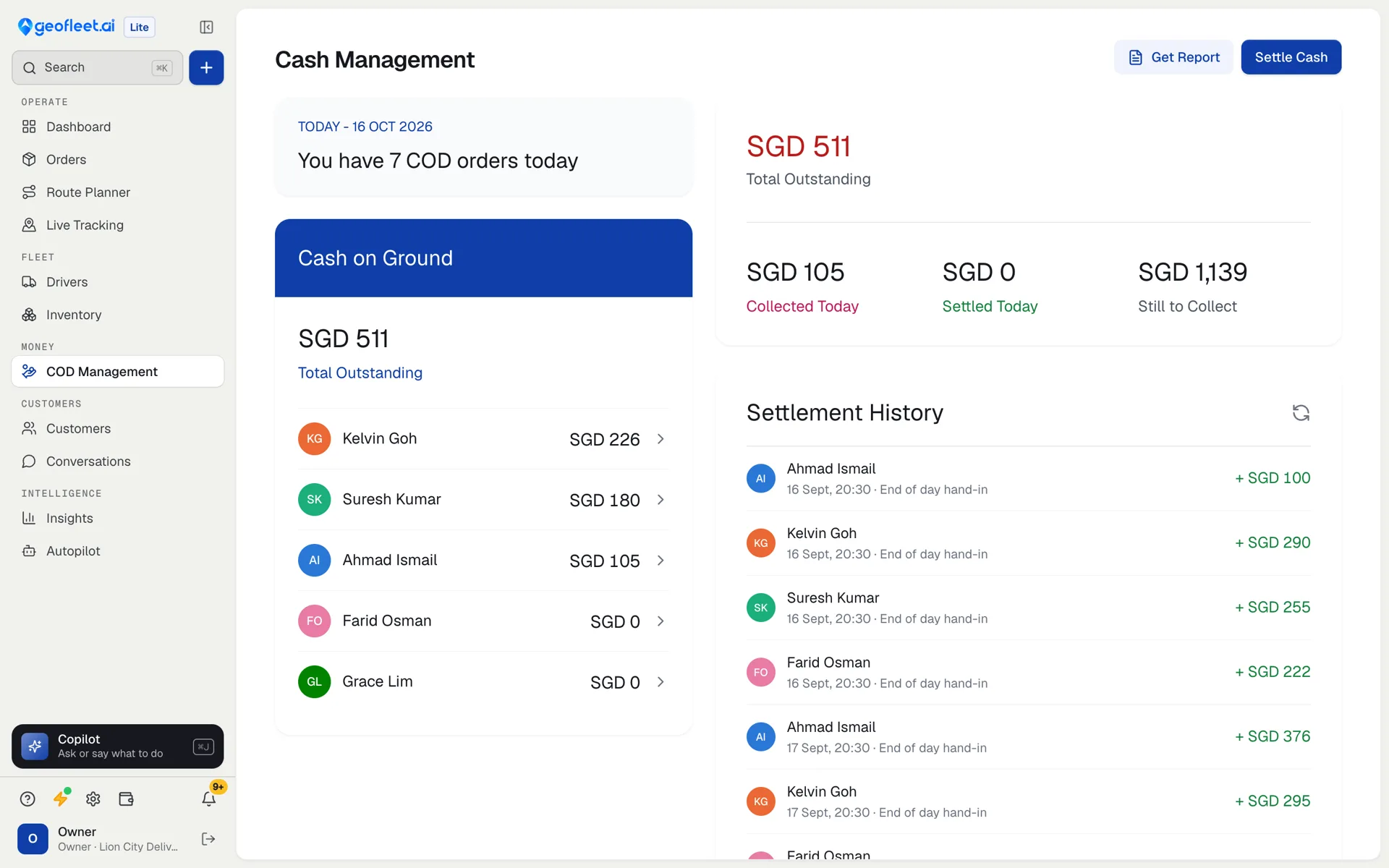
Before a driver leaves, compare the cash they hold with the COD collected on their stops and record the hand-in. Small daily gaps are easy to explain; a week of them is not. Then mark any undelivered orders for the next day so the morning check starts clean.
What should a small delivery team measure?
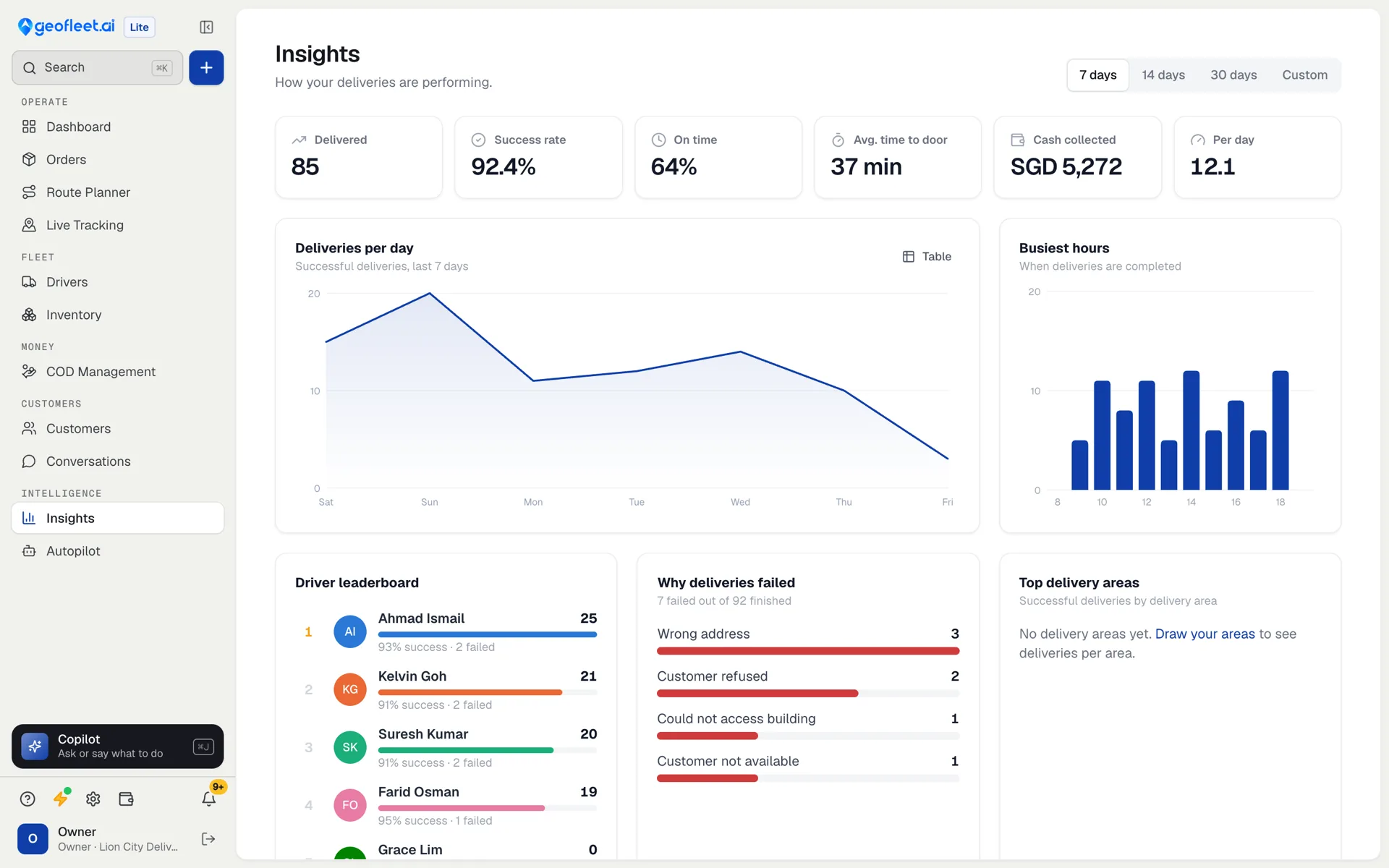
Four numbers are enough for a single hub. Track them weekly, not hourly.
Success rate
- What it tells you
- Share of attempted deliveries completed
- Act when
- Failed reasons repeat, such as wrong address
On-time rate
- What it tells you
- Share delivered inside the promised window
- Act when
- It drops for a specific area or hour
Orders per driver per day
- What it tells you
- Whether routes are dense enough
- Act when
- It falls while order volume holds
Cash outstanding
- What it tells you
- COD collected but not yet settled
- Act when
- Any driver carries it overnight
| Metric | What it tells you | Act when |
|---|---|---|
| Success rate | Share of attempted deliveries completed | Failed reasons repeat, such as wrong address |
| On-time rate | Share delivered inside the promised window | It drops for a specific area or hour |
| Orders per driver per day | Whether routes are dense enough | It falls while order volume holds |
| Cash outstanding | COD collected but not yet settled | Any driver carries it overnight |
When does a single hub need software?
A pen, a sheet and a chat group work for one or two drivers. The signs you have outgrown them are consistent: planning takes more than an hour a day, customers call to ask where orders are, nobody can say which driver holds how much cash, and failed deliveries are discovered the next day. At that point a tool built for one hub pays for itself in planning time alone.
Geofleet Lite was built for exactly this loop: one pickup location, a route planner that starts and ends there, live tracking, customer tracking links, proof of delivery and cash settlement, for $49 a month with 3 drivers included.
Keep reading
Frequently asked questions
What is single-hub delivery?
Single-hub delivery means every route starts and ends at one location, such as a shop, kitchen, pharmacy or warehouse, usually with the business’s own drivers.
How many deliveries can one driver do per day?
It depends on distance, traffic and drop time. In dense urban areas a driver might complete 15 to 25 stops a wave; in suburbs fewer. Measure your own orders per driver per day and plan waves around it.
Do I need a dispatcher for a small delivery team?
Not usually. With an order cutoff and route planning software, an owner or shop manager can plan a wave in minutes and handle exceptions in between other work.
How do I stop customers calling to ask where their order is?
Send every customer a tracking link when the route is published, showing the driver and an arrival estimate. Most “where is my order?” calls stop once customers can see it themselves.
What is the best software for single-hub delivery?
Look for a tool where the pickup location is set once and every route starts there, with route planning, live tracking, customer links, proof of delivery and COD in one place. Geofleet Lite is built for this and costs $49 a month for 3 drivers.